Social Media VA
Brands will pay you to grow their audience and run their content. You will master content creation, scheduling, community management, analytics, and growth strategies for brands and influencers, then complete all 6 modules to earn your Social Media VA certification.
Module 1: Social Media Fundamentals
- Describe what a social media VA does day to day.
- Compare the main platforms and who each reaches.
- Name the content types that reliably perform.
- Explain the basics of how the algorithm decides reach.
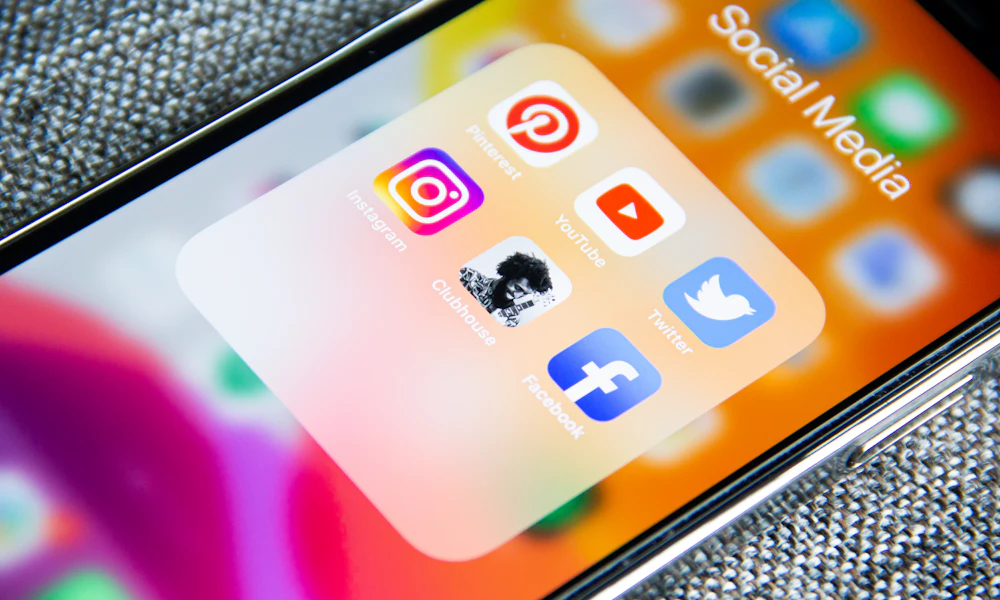
Before you can manage social media for clients, you need a complete picture of the landscape, which platforms matter, what content types perform, and how algorithms decide who sees what.
Lesson 1 What Social Media VAs Do
A Social Media VA manages a brand's online presence across platforms. You are the voice, the strategist, and the daily executor all in one. Your core responsibilities span four pillars:
- Content Creation: Writing captions, designing graphics, editing short-form video, and building content calendars that align with the brand's goals.
- Scheduling & Publishing: Queuing content in advance using scheduling tools, publishing at optimal times, and maintaining a consistent posting cadence.
- Community Management: Responding to comments and DMs, engaging with followers, and building relationships that convert audiences into loyal customers.
- Analytics & Reporting: Tracking key metrics weekly, compiling monthly performance reports, and adjusting the content strategy based on what the data shows.
Social media clients care most about growth and engagement, not how many hours you worked. Always frame your value in terms of results: followers gained, engagement rate, and reach.
Lesson 2 Platform Overview
Each platform has a different audience, content format, and algorithm. Knowing these differences is what separates amateur managers from strategic Social Media VAs.
Facebook, 3B Users
The largest platform globally. Best for community groups, event promotion, and reaching audiences 35+. Video and group content drives the highest organic reach.
Instagram, 2B Users
Visual-first platform ideal for lifestyle brands, e-commerce, and influencers. Reels dominate reach. Strong for ages 18 to 34. Shopping features make it a direct sales channel.
TikTok, 1.5B Users
Short-form video leader. Viral discovery engine that can take an account from 0 to 100K overnight. Fastest-growing platform for Gen Z and Millennials. Authenticity beats polish here.
LinkedIn, 900M Users
The professional network. Essential for B2B brands, coaches, consultants, and executives. Long-form posts and thought-leadership content outperform all other formats.
Pinterest, 450M Users
A visual discovery and search engine. Massive for home decor, fashion, recipes, and DIY niches. Pins have a 6-month lifespan, far longer than any other platform's content.
Lesson 3 Content Types That Perform
Understanding content formats is non-negotiable. Each format serves a different purpose in the algorithm and audience journey.
🎬 Reels (Short-Form Video)
Reels are the highest-reach content format on Instagram and Facebook. They are prioritized by the algorithm because they drive new audience discovery. A well-crafted Reel can reach 10× the followers of a static post. Ideal length: 7 to 30 seconds. Hook in the first 2 seconds.
🖼 Carousels (Swipeable Posts)
Carousels generate the highest engagement per post because each swipe counts as an interaction. Use them for educational content ("5 tips to…"), before/after showcases, and step-by-step guides. Instagram carousels average 3× more reach than single-image posts.
📖 Stories (Ephemeral Content)
Stories disappear after 24 hours and are shown to existing followers, not new audiences. Use them for: real-time updates, polls, Q&A stickers, behind-the-scenes content, and soft promotions. Stories maintain daily touchpoints with your audience without clogging their feed.
🧵 Threads & Long-Form Posts
On LinkedIn and Twitter/X, long-form storytelling and thread-style posts drive massive engagement. Share personal stories, contrarian takes, and detailed how-tos. First line is the hook, it must force the reader to click "see more." Aim for 5 to 15 line posts on LinkedIn.
Lesson 4 Algorithm Basics
You cannot manage social media effectively without understanding how algorithms reward content. All major platforms share three core signals:
- Consistency: Algorithms favor accounts that post regularly. Posting 4× per week beats posting 20 times in one week, then going silent. Consistency signals that you are an active creator worth showing to new audiences.
- Engagement Velocity: How quickly your post gets likes, comments, and shares in the first 30 to 60 minutes after publishing matters enormously. Respond to every comment within that window to boost velocity artificially.
- Saves > Likes: Instagram's algorithm values saves and shares above likes and comments. A post saved 50 times signals high value content. Design educational carousels and infographics specifically to earn saves.
If you post at the wrong time, even great content gets buried. If you post at the right time, even average content gets amplified., Social Media VA Principle
A social media VA's daily rhythm
- Check DMs and comments first, reply and flag anything for the client.
- Publish or confirm the day's scheduled post looks right.
- Spend 15 minutes engaging on relevant accounts to grow reach.
- Note one trending audio or format to try this week.
Choose your lane
Daily engagement checklist
Run this every day for each client.
A client asks: "Why aren't we going viral yet?" How do you respond?
Module 1 Quiz
Which social media platform has the largest user base globally?
Which content type does Instagram's algorithm value most because each interaction counts as an engagement?
What engagement action signals the highest content value to Instagram's algorithm?
Which platform is best suited for B2B brands, consultants, and thought-leadership content?
Module 2: Content Creation & Planning
- Build a set of content pillars for a brand.
- Plan a monthly content calendar.
- Batch a week of content in one focused session.
- Write captions with a hook and a clear call to action.
Consistent, high-quality content doesn't happen by accident. It's built on a strategic framework of content pillars, a monthly calendar, and a repeatable batch workflow.
Lesson 1 The 5 Content Pillars
Every brand's content should rotate across five strategic pillars. This prevents a feed that feels like a constant sales pitch and builds an audience that genuinely engages.
Educational
Tips, how-tos, tutorials, and industry insights. This pillar builds authority and earns saves, the most valuable Instagram metric. Example: "5 tools every freelancer needs."
Entertaining
Relatable memes, humorous reels, and trending audio content. Drives shares and new follower discovery. Keeps the feed from feeling corporate and stiff.
Promotional
Product features, service announcements, and direct CTAs. Keep this pillar to 20% or less of your total content. Over-promoting causes follower fatigue and unfollows.
Community
User-generated content (UGC), polls, Q&A sessions, and shoutouts. This pillar makes followers feel seen and heard, increasing loyalty and repeat engagement.
Inspirational
Quotes, transformation stories, and motivational content. Highly shareable and drives emotional connection with the brand. Works especially well on Monday mornings.
A healthy content mix ratio: 30% Educational · 20% Entertaining · 20% Promotional · 15% Community · 15% Inspirational.
Lesson 2 Monthly Content Calendar
A content calendar is your production blueprint. It maps every post across the month before you create a single graphic.
- Week 1 Theme: Brand Introduction + Educational Content, onboard new followers with who the brand is and what value you deliver.
- Week 2 Theme: Entertaining + Community, mid-month engagement boost with relatable content, polls, and follower spotlights.
- Week 3 Theme: Educational Deep-Dive + Promotional, your best teaching content followed by a soft product/service push.
- Week 4 Theme: Inspirational + Strong CTA, close the month with emotional content and a direct conversion push (sale, sign-up, or offer).
Build your content calendar in a simple Google Sheet or Notion board. Columns: Date | Platform | Content Pillar | Caption Draft | Visual Notes | Status (Draft/Designed/Scheduled).
Lesson 3 The Batch Workflow
Batching is the secret to managing multiple client accounts without burning out. Instead of creating each post individually each day, you group similar tasks into dedicated time blocks.
Monday, Research Day
Audit last week's analytics. Research trending topics, hashtags, and audio on TikTok and Instagram Reels. Identify competitor content that's performing well. Brief the content calendar for the week ahead.
Tuesday, Caption Writing Day
Write all captions for the week in one sitting. Use the Hook → Value → CTA framework for every post. Draft hashtag sets per post. Review captions for brand voice consistency.
Wednesday, Design Day
Create all graphics, carousels, and Story frames in Canva. Export in the correct dimensions for each platform. Label files clearly (e.g., "ClientName_IG-Reel-Cover_May07").
Thursday, Schedule Day
Upload all content to your scheduling tool (Buffer, Later, or Hootsuite). Queue posts at optimal times for each platform. Double-check captions, hashtags, and visual attachments before finalizing.
Friday, Engagement Day
Spend 30 to 60 minutes engaging: respond to all comments and DMs, like and comment on 20 to 30 posts in your target niche, and check Stories for poll results and Q&A responses.
Lesson 4 Canva Basics for VAs
Canva is the industry-standard design tool for Social Media VAs. You do not need design experience, just knowledge of the right settings and workflow.
- Brand Kit: Store the client's logo, brand colors (hex codes), and fonts in Canva's Brand Kit. Every design should pull from this kit, never freestyle brand colors.
- Templates: Start from a platform-specific template, not a blank canvas. Canva has hundreds of social media templates already sized correctly.
- IG Feed Post: 1080 × 1080 px (square) or 1080 × 1350 px (portrait, preferred as it takes more screen space).
- IG/TikTok Story: 1080 × 1920 px (9:16 vertical). Keep key content in the center safe zone, top and bottom 250px may get cut off.
- LinkedIn Post: 1200 × 627 px (landscape) for link previews. 1080 × 1080 px for standard image posts.
Lesson 5 Caption Writing & Hashtag Strategy
A great visual with a weak caption is a wasted post. Great captions follow a proven formula and are always paired with a smart hashtag strategy.
- Hook (Line 1): The first line must stop the scroll. Use a bold statement, controversial claim, or direct question. Examples: "Nobody talks about this." / "Stop making this caption mistake." / "Your engagement rate isn't low, your hooks are."
- Value (Lines 2 to 6): Deliver the promised content. Be direct, useful, and specific. Use line breaks for readability, no one reads a caption wall of text.
- CTA (Final Line): Always close with a call-to-action. "Save this for later." / "Tag someone who needs this." / "Comment your biggest challenge below."
Hashtag Formula (Instagram):
- 5 Large hashtags (1M+ posts), for broad reach: #socialmediatips, #contentcreator
- 10 Medium hashtags (100K, 1M posts), your best opportunity zone: #valife, #freelancelife
- 10 Niche hashtags (under 100K posts), highest chance of ranking and being discovered: #virtualbizassistant
Batching a week in one session
- Start from the five pillars and pull seven post ideas.
- Build each graphic from a reusable Canva template.
- Write all seven captions with a hook, value, and a call to action.
- Load everything into the scheduler and set the times.
Plan your content
Content calendar template
One row per post, planned by pillar.
The client has a posting deadline and no content ideas. What do you do?
Module 2 Quiz
What is the recommended maximum percentage of promotional content in a healthy content mix?
In the batch workflow, which day is dedicated to writing all captions for the week?
What is the correct pixel dimension for an Instagram Story or TikTok video?
In the caption writing formula, what comes after the Hook and Value sections?
Module 3: Scheduling & Publishing
- Pick a scheduling tool that fits the client.
- Find the best times to post for an audience.
- Repurpose one post across several platforms.
- Know what stories scheduling can and cannot do.
Knowing when and how to publish content is just as important as the content itself. This module covers the tools, timing strategies, and cross-platform repurposing systems that keep your clients' accounts active with minimal daily effort.
Lesson 1 Scheduling Tool Comparison
Three tools dominate the Social Media VA workspace. Each has specific strengths and limitations that determine which clients they suit best.
Buffer, Best for Simplicity
Strengths: Clean, intuitive interface. plan supports 3 channels and 10 scheduled posts per channel. One-click publishing to Instagram, Facebook, Twitter/X, LinkedIn, and Pinterest. Excellent analytics dashboard even on the plan.
Limitations: No built-in image editor. Limited team collaboration features on lower tiers. No TikTok auto-publishing on the plan.
Best for: Solo creators, small businesses, and VAs managing 1 to 3 accounts.
Later, Best for Visual Planning
Strengths: Drag-and-drop visual calendar. Instagram grid preview lets you see exactly how the feed will look before publishing. Linkin.bio feature. Strong Instagram-native features including Story scheduling.
Limitations: plan limited to 10 posts per social profile per month. Less robust LinkedIn and Pinterest support compared to competitors.
Best for: Instagram-focused brands, influencers, and visual-first businesses where the feed aesthetic matters.
Hootsuite, Best for Agency Use
Strengths: Manages unlimited social accounts. Powerful team collaboration with approval workflows, ideal for VAs who submit content for client review before publishing. Robust analytics and reporting. Supports all major platforms including TikTok.
Limitations: Steep learning curve. Expensive, starts at $99/month. plan was discontinued in 2023.
Best for: VAs managing 5+ client accounts or working within a social media agency.
Lesson 2 Optimal Posting Times
Posting at peak engagement windows dramatically increases the organic reach of every post. These are data-backed windows across major platforms:
- Instagram: Tuesday, Friday, 9 to 11 AM local time. Lunch hour (12 to 1 PM) also performs well. Avoid Sunday mornings and Monday pre-9 AM.
- LinkedIn: Tuesday, Thursday, 8 to 10 AM. Wednesday 10 AM is the single highest-performing slot. Avoid weekends, LinkedIn goes quiet on Saturdays and Sundays.
- TikTok: Tuesday, Thursday, 7 to 9 PM. Evening posting aligns with peak scroll times. Weekends from 9 AM, 11 AM also perform well due to leisure browsing.
- Facebook: Monday, Friday, 1 to 4 PM. Wednesday at 3 PM is statistically the top-performing single slot. Evening posts (7 to 9 PM) see strong engagement from personal accounts.
- Pinterest: Saturday evenings (8 to 11 PM) and Friday afternoons. Pinterest is a weekend platform, users plan and discover during leisure time.
These are starting points, not rules. After 30 days of posting, check your client's specific account analytics. Every audience is unique, let the data override the defaults.
Lesson 3 Cross-Platform Repurposing
Creating content from scratch for every platform is inefficient and unnecessary. Repurposing is the art of taking one piece of core content and adapting it into 8+ platform-specific posts.
- Start with a blog post or long-form video, this is your content "pillar."
- Extract 3 to 5 key points → Instagram Carousel (one point per slide)
- Record a 60-second summary → Instagram Reel + TikTok video
- Write a 5-line insight post → LinkedIn post
- Pull the best quote → Quote graphic for Instagram/Facebook
- Create a checklist version → Pinterest infographic pin
- Film the "behind the scenes" of creating it → Instagram Story series
- Turn the checklist into a poll → Facebook community engagement post
One blog post = 1 carousel + 1 Reel + 1 TikTok + 1 LinkedIn post + 1 quote graphic + 1 Pinterest pin + 1 Story series + 1 poll = 8+ pieces of content from a single source.
Lesson 4 Stories Scheduling Limitations
Instagram Stories have unique scheduling restrictions that every Social Media VA must understand to avoid publishing errors.
- Auto-publishing Stories: Only available via the Instagram Graph API (Meta Business Suite) and tools like Hootsuite or Later's paid plans. Buffer's plan does not auto-publish Stories.
- Interactive elements (polls, sliders, Q&A): Cannot be scheduled through third-party tools. These must be added manually when the Story is live. Schedule the base visual, then add stickers in-app at publish time.
- Story Highlights: These do not expire and should be used to permanently archive key Stories (FAQ, testimonials, services, behind-the-scenes). Update Highlights monthly.
- Best practice: Schedule Story visuals in advance using your tool of choice, but block 15 minutes daily to add interactive elements and post any time-sensitive Stories manually.
Scheduling a week across three platforms
- Load the week into one scheduler for Instagram, TikTok, and Facebook.
- Take one strong reel and adapt the caption and format for each platform.
- Set each post to that platform's best time from the analytics.
- Add a QA pass to catch typos and broken links before anything goes live.
Build your schedule
Posting schedule template
Plan the week, platform by platform.
A scheduled post went live with a typo. What is your best move?
Module 3 Quiz
Which scheduling tool is best suited for agencies managing 5+ client accounts with team approval workflows?
What are the optimal posting days and times for Instagram?
How many unique pieces of content can typically be repurposed from one blog post?
Which Instagram Story element CANNOT be scheduled through third-party tools and must be added manually in-app?
Module 4: Community Management
- Set clear response-time standards.
- Run a daily engagement routine that grows the account.
- Handle negative comments without making it worse.
- Build user generated content and community.
Posting content is only half the job. The other half is showing up for your audience, responding, engaging, and building the kind of community that turns followers into loyal brand advocates.
Lesson 1 Response Time Standards
Speed of response is directly tied to engagement rate. The algorithm notices when your account is active, and so do your followers.
- Reply within 2 hours of every comment and DM. Comments left unresponded within the first 2 hours signal low activity to the algorithm, reducing the post's future reach.
- Set client expectations: Discuss response time windows in your onboarding. Some clients want 24/7 DM coverage; others are fine with business-hours-only. Agree in writing before you start.
- Use saved replies: Create a library of pre-written responses for the most common questions ("What are your prices?", "How do I book?", "Where do you ship?") to dramatically reduce response time.
Lesson 2 Daily Engagement Strategy
Growth doesn't come from posting alone, it comes from engaging. The most effective Social Media VAs follow a daily engagement routine:
- Engage 20 to 30 accounts daily in your target niche. Leave genuine, thoughtful comments, not "Great post!" but actual value adds: a question, an insight, or a compliment with specifics.
- Follow accounts strategically: Follow 10 to 15 highly engaged accounts in the niche per week. Many will follow back. Avoid mass-following, which triggers Instagram spam filters.
- Like and comment on competitor followers: These are warm leads. They already care about your niche, they just haven't found your client yet.
- Respond to every Story mention and tag: When users tag your client in their own Stories, reshare it (with permission) as a Story, this is UGC and makes the original poster feel valued.
30 minutes of genuine daily engagement is worth more than 3 extra posts per week. Algorithms reward accounts that actively participate in the platform community.
Lesson 3 Handling Negative Comments
Negative comments are inevitable. How you handle them publicly defines the brand's reputation. Follow this framework every time:
Step 1, Respond Publicly with Empathy
Never delete a genuine complaint (only remove spam or hate speech). Reply publicly with acknowledgment and empathy: "We're so sorry to hear you had this experience, [Name]. This is not the standard we hold ourselves to." This signals to other followers that the brand cares.
Step 2, Move the Resolution to DMs
After the public empathy response, direct the conversation privately: "We'd love to make this right, please send us a DM with your order details so we can resolve this for you immediately." This moves the conflict out of public view while showing accountability.
Step 3, Escalate to the Client if Needed
As a VA, you manage the communication, but the client handles refunds, replacements, and policy decisions. Have a clear escalation process: if a complaint involves money, legal issues, or a PR-risk situation, notify the client immediately rather than resolving it yourself.
What to Never Do
Never argue publicly. Never be defensive. Never say "per our policy." Never delete a negative comment unless it violates community guidelines. Defensiveness goes viral; empathy de-escalates. Even if the customer is wrong, the public response should always be gracious.
Lesson 4 UGC Campaigns & Community Building
User-Generated Content (UGC) is the most powerful social proof a brand can have. Your job is to create systems that encourage and collect it consistently.
- Create a branded hashtag: Every brand should have one unique, searchable hashtag. Encourage followers to use it and monitor it daily. Reshare the best posts (always with credit) to your Story or feed.
- Run monthly UGC challenges: "Post a photo of [product] with #BrandHashtag for a chance to be featured." This drives organic content from real customers and builds community participation.
- Build a community culture: Ask questions in captions. Run polls in Stories. Host monthly Live Q&A sessions. Recognize "community spotlight" followers regularly. People come back to places where they feel like they belong.
Working through a wave of comments
- Reply to genuine questions with warmth and helpful answers.
- Thank positive comments to reward engagement.
- For one angry comment, acknowledge, take it to DMs, and keep it calm.
- Flag anything serious for the client and log the issue.
Your community playbook
Community response guide
How to reply in the common situations.
A troll leaves a nasty comment on a popular post. What do you do?
Module 4 Quiz
What is the recommended maximum response time for comments and DMs to maintain algorithm engagement signals?
How many accounts should a Social Media VA engage with daily to support organic growth?
When handling a negative public comment, what is the correct first step?
What does UGC stand for and why is it valuable?
Module 5: Analytics & Reporting
- Track the metrics that actually matter.
- Build a clear monthly report.
- Turn the data into a strategy change.
- Explain results to a client in plain language.
Data separates Social Media VAs from social media hobbyists. Knowing how to read the numbers, communicate them to clients, and adjust strategy accordingly is what justifies your retainer and builds long-term client relationships.
Lesson 1 Key Metrics Every VA Must Track
Not all metrics are equally important. Focus on these high-signal indicators:
Engagement Rate, The Core Health Metric
Engagement Rate = (Likes + Comments + Saves + Shares) ÷ Reach × 100. Target for Instagram: 3 to 6%. Below 1% signals either low-quality content or a disengaged audience (often from past follow/unfollow tactics). Above 10% is exceptional and worth analyzing and replicating.
Saves & Shares, Quality Signal Metrics
Saves and shares are worth more than likes. A save means the user found the content valuable enough to return to. A share extends the content's reach organically. When saves and shares consistently outpace likes, you know the content strategy is working at a high level.
Reach vs. Impressions
Reach = unique accounts who saw the post. Impressions = total times the post was displayed (including multiple views by the same account). A high impression-to-reach ratio means your audience is viewing content multiple times, a positive signal. Track week-over-week reach growth as your primary growth metric.
Follower Growth Rate
Track net follower growth (new follows minus unfollows) weekly. A healthy growing account adds 2 to 5% new followers monthly. Sudden drops signal either a viral negative moment or a posting gap. Report both gross growth and net growth to give clients the full picture.
Link Clicks & Website Traffic
For clients with products or services, link clicks in bio and swipe-up Story links are the bridge between social media and revenue. Track these in both the native analytics and in Google Analytics (utm parameters on links). This metric directly connects your work to business outcomes.
Lesson 2 Monthly Report Template
Clients want to know: "Is what we're paying for working?" Your monthly report answers that question clearly and professionally.
- Executive Summary (1 paragraph): Plain-English overview of the month's performance. Start with the wins, then address challenges, then state the plan for next month. Clients read this first, make it compelling.
- Metrics Table: A clean table showing this month vs. last month for: Followers, Reach, Impressions, Engagement Rate, Saves, Shares, Link Clicks, and DMs received. Color-code improvements in green and declines in yellow/red.
- Top 3 Performing Posts: Include the image thumbnail, caption, and breakdown of metrics for each. Explain why you believe each performed well, what content type, topic, and CTA drove the result.
- 3 Strategic Recommendations: Based on this month's data, what three things should you double down on, test, or stop doing next month? This section demonstrates strategic thinking and justifies your ongoing retainer.
Deliver reports on a consistent date every month (e.g., the 1st or 5th). Clients who receive data-backed updates on schedule retain VAs far longer than clients left guessing if their investment is working.
Lesson 3 Adjusting Strategy Based on Data
Analytics are useless if you don't act on them. Use this decision framework after every monthly review:
- If engagement rate drops below 2%: Audit the last 20 posts. Are you posting too many promotional posts? Is the hook quality declining? Did posting frequency drop? Address the root cause, not the symptom.
- If reach is declining: Test new content formats. If Reels reach has dropped, try carousels. If carousels are stagnant, try a text-based confessional post. Algorithm shifts favor novelty.
- If saves are high but followers are flat: Your content is valuable but not optimized for discovery. Increase hashtag diversity, post at different times, and add more CTAs that ask followers to share.
- If follower growth is strong but engagement is low: You are attracting the wrong audience (often from giveaways or broad hashtags). Tighten your niche content and hashtag strategy to attract higher-quality, genuinely interested followers.
Reading a month of data
- Reach is up but saves are flat, so the content is seen but not kept.
- You decide to shift toward save-worthy carousels and how-to posts.
- You report the change and the reason in two clear sentences.
Report like a pro
Monthly report template
A simple report a client will actually read.
Engagement dropped noticeably this month. How do you report it?
Module 5 Quiz
What is the target engagement rate for a healthy Instagram account?
In a monthly social media report, what section explains why specific posts performed well and informs future strategy?
What is the difference between Reach and Impressions?
If an account's saves are high but follower growth is flat, what is the most likely fix?
Module 6: Growth Strategies & Final
- Research hashtags that expand reach.
- Run respectful micro-influencer outreach.
- Use paid boosts wisely and sparingly.
- Apply a simple zero to ten thousand growth plan.
This final module covers the advanced growth strategies that distinguish skilled Social Media VAs from basic content posters, from smart hashtag research and influencer outreach to paid boosts and a proven 0-to-10K playbook.
Lesson 1 Advanced Hashtag Research
Most VAs use hashtags passively, copying popular tags and hoping for results. Strategic hashtag research is an active, systematic process.
- Start with one seed hashtag in your niche (e.g., #healthcoach). Click the hashtag on Instagram and study the "Related" suggestions Instagram shows, these are your expansion targets.
- Check post volume: Avoid hashtags over 10M posts (your content drowns instantly). Prioritize 10K, 500K range for discoverability. Build a spreadsheet of 50+ qualified hashtags per niche.
- Rotate hashtag sets: Create 3 to 5 different hashtag sets and rotate them across posts. Using the exact same 30 hashtags every post signals spam behavior and reduces their effectiveness over time.
- Location hashtags: For local businesses, geographic hashtags (#NYCfitness, #LondonCoach) dramatically improve local discoverability, often with far less competition than niche hashtags.
Use the Hashtag Insights feature in Instagram's native analytics to see which hashtags are actually driving impressions. Cut the underperformers and replace them monthly.
Lesson 2 Micro-Influencer Outreach
Micro-influencers (5,000 to 50,000 followers) consistently outperform mega-influencers in engagement and conversion rates, and they cost a fraction of the price.
- Why micro-influencers: Average engagement rate of 3 to 8% vs. 1 to 2% for mega-influencers. Highly niche audiences. More willing to collaborate on smaller budgets or product exchanges.
- How to find them: Search your client's top hashtags. Look for accounts with 5K, 50K followers posting consistently with high engagement. Check their audience quality (not full of bot followers).
- Outreach template: Keep it personal and specific. Reference one specific post you genuinely liked. State the collaboration clearly (gifted product, paid post, affiliate deal). Keep the pitch under 150 words.
- Track your outreach: Build a simple spreadsheet, Account Name | Followers | Engagement Rate | DM Sent Date | Response | Outcome. Follow up once after 5 to 7 days if no reply.
Lesson 3 Paid Boost Basics
Organic growth is powerful, but a small paid budget applied to proven organic content dramatically accelerates results. You don't need a large ad budget, you need the right strategy.
Which Posts to Boost
Only boost posts that have already proven themselves organically. Look for posts with above-average engagement rate (above 5%), high saves, and strong CTA response. Boosting a weak post just wastes budget, you are amplifying failure.
Budget Framework ($5 to $20/Day)
Start with $5 to $10/day for 5 to 7 days. This gives the algorithm enough data to optimize delivery without overspending. Evaluate results at day 3, if CPM (cost per 1,000 impressions) is high and engagement is low, pause and adjust the audience targeting before spending more.
Targeting Basics
In Meta Ads Manager, set your audience to: interests aligned with the brand's niche, age range matching the client's ideal customer, and exclude existing page followers (you want to reach new people, not pay to reach people who already follow you). Always use Saved Audiences for consistency.
Reporting Boost Results to Clients
After every boost, report: total spend, reach, impressions, clicks, and new followers gained during the boost period. Calculate cost-per-follower and cost-per-click. Clients who see real numbers attributed to their spend are far more likely to increase the budget and maintain the relationship.
Lesson 4 The 0 to 10K Playbook
Every new account starts at zero. This is the proven 90-day framework for growing any account to 10,000 followers organically, no bots, no purchased followers, no shortcuts.
- Daily posting for 90 days: Consistency is non-negotiable in the early growth phase. Post every single day for 90 days. The algorithm learns your cadence and prioritizes consistent creators. One great post per day beats three mediocre posts in one day.
- Engage 30 minutes per day: Split between: 10 min responding to your own comments/DMs, 10 min commenting on niche hashtag posts, and 10 min engaging with accounts in your target audience. Discipline beats inspiration.
- Collaborate weekly: Each week, identify one account for a collaboration: a joint Reel, a shoutout exchange, a co-hosted Live, or a guest contribution to their Stories. Each collaboration exposes you to an entirely new audience of warm leads.
- Track weekly benchmarks: Set a weekly follower goal (e.g., +100 followers/week). If you hit it, maintain the strategy. If you miss it two weeks in a row, analyze the content and engagement data and make one specific change, not five changes at once.
The accounts that go from 0 to 10K aren't the ones with the best content. They are the ones that show up every single day for 90 days without exception., Social Media VA Playbook
A zero to ten thousand plan
- Pick a clear niche and three content pillars.
- Post consistently on a schedule the client can sustain.
- Engage upward on bigger accounts in the niche every day.
- Run one micro-influencer collaboration a month.
Your growth kit
Growth and outreach template
A hashtag frame and an outreach message you can reuse.
The client wants to buy 10,000 followers to look bigger. What do you advise?
Module 6 Quiz
What follower range defines a micro-influencer, and why are they preferred for brand partnerships?
When should you boost a social media post with paid budget?
What is the recommended starting daily budget range for boosting a post on Meta?
In the 0-to-10K playbook, how long must you post daily to build consistent algorithm momentum?
Why should you rotate different hashtag sets across posts rather than using the same 30 hashtags every time?